STL File Viewer Online: Free Tools for Jewelers, and Which Upload Your File
Free STL viewers compared from their own pages: which keep a client's design in your browser, which measure it, and the checks a jewelry STL needs once it's open.
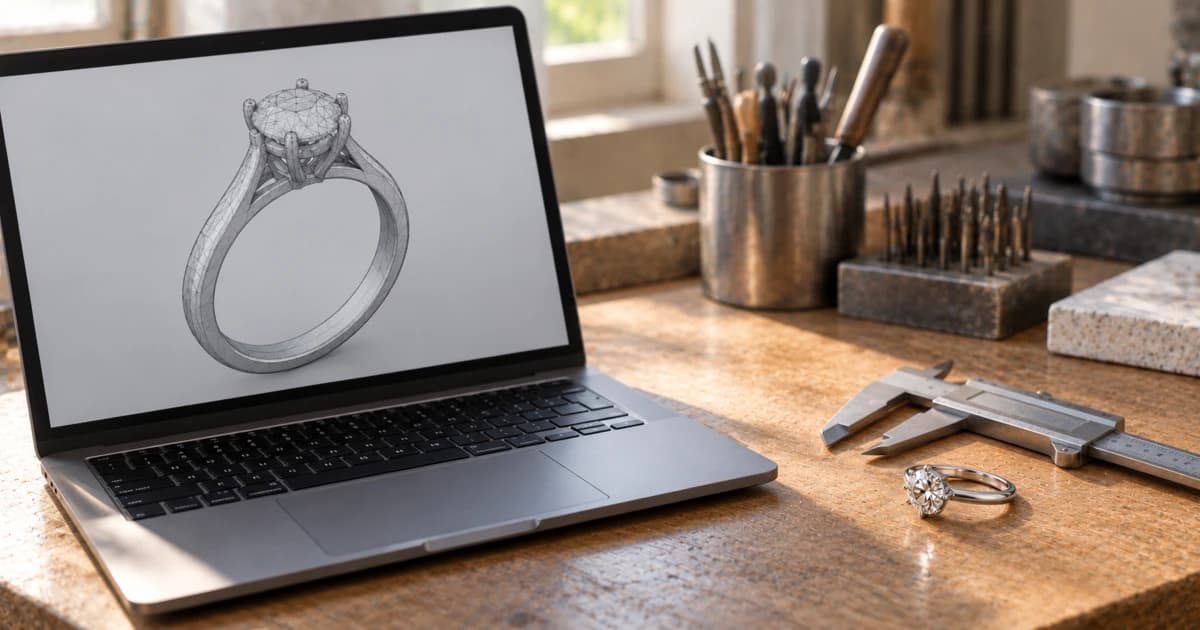
You can open an STL file in a free STL file viewer online without installing anything: Online 3D Viewer, ViewSTL, Elysia's STL viewer and Innerscene all show one in the browser. When the file is a client's design, the question that matters is whether the viewer uploads it. Those four say plainly that a file from your computer stays in your browser; a fifth free viewer, CAD-Viewer.com, uploads it and stores it, per its own pricing page.
There's a second catch for jewelers. An STL stores no units, so a ring can open at the wrong size, and nothing in the file says which triangles are metal and which are stones. Below: the viewers compared from each tool's own page, then the checks to run on a jewelry STL once it's open.
Free STL file viewers online, compared: who uploads your file
Every row comes from the tool's own page, read on 15 October 2026. "Not listed" means the page doesn't say, not that the tool can't do it.
Viewer | Free? | Opens | Uploads your file? (its own words) | Measures? |
|---|---|---|---|---|
Online 3D Viewer (3dviewer.net) | Free and open source (MIT license) | STL, OBJ, PLY, glTF/GLB, 3DM, FBX, STEP, IGES | No: a model from your computer "won't be uploaded to any web server" | Yes: a Measure tool (distances, angles), and size X/Y/Z, surface and volume (closed meshes only) in its details panel |
"free online STL viewer" | STL (binary and ASCII), OBJ, 3MF | No: "We upload nothing to our server - everything is done client side." (FAQ) | Yes: size X/Y/Z, volume and area in its Models Info panel, with a mm/inch units switch | |
"Free online STL viewer" | STL only | No: files "stay on your device and are rendered locally" | Not listed; rotate, zoom and pan only | |
"completely free", no signup | STL, STEP, IGES, OBJ, 3DM, GLB, FBX and more | Only if you click Share: "The Share button is the only feature that uploads a file" | Not listed | |
"completely free and requires no registration" | STEP, IGES, STL, OBJ | Yes: its pricing page describes "uploading CAD files", stored up to 3 days without an account and with no time limit with one | Not listed | |
Culet Studio (ours) | Free for everyone, no usage limits, with credit (free account) | STL, .3dm, STEP, IGES, OBJ, FBX, PLY, GLB/glTF | No: read and measured in your browser; stored only when you save it to your Drive, share it by link, or export a live 3D or 360° view | Yes: ring size, metal weight in 10 alloys, stones, casting checks |
We make Culet Studio, so weigh our row with that in mind. It's built for finished jewelry files, and it doesn't edit them: you still fix a model in Rhino, MatrixGold or your usual CAD software. The full list of supported file formats is in our docs, and how we handle files is on our security page.
The pattern in the table is the useful part. A page that says where the file goes, in one plain sentence, lets you decide. That sentence isn't always on the home page: CAD-Viewer.com's home page talks about cloud storage, and the plain statement that files are uploaded and kept is on its pricing page. Before you drop a client's ring into any web tool, look past the home page for that sentence. If you can't, assume the file is uploaded, and treat every share link as a copy of the design on someone else's server.
What an STL keeps, and what it loses
An STL is a very plain file. The format, first documented by 3D Systems in 1988 for stereolithography printing, describes a surface as a mesh of triangles. The specification is short: "An StL file consists of a list of facet data", with 12 numbers per triangle (three corners and one direction). That's it. Here is what that leaves out:
Units. The same specification says the STL "does not contain any scale information; the coordinates are in arbitrary units." A ring modeled in inches and read as millimeters opens 25.4 times too small, because an inch is exactly 25.4 mm (NIST).
Exact surfaces. CAD programs like Rhino keep a ring as NURBS, exact mathematical surfaces. The Library of Congress notes that a smooth shape "may require thousands of triangles" in STL, where NURBS describe the same surface "in a mathematically precise format". The STL is an approximation.
Colors and materials. There is "no standard support within STL for colors or textures."
Which part is which. Nothing in that list of triangles marks a stone, a layer or an object name. A center stone and the shank are both just triangles.
So keep the CAD file for production. Stuller's CAD/CAM standards, for one, accept STL files but list 3DM NURBS files first, and ask designers to "leave gem-stones in the files". If you receive only an STL, ask whether the stones are in it before you count on them.
How to check dimensions and units in an STL file
Check the size before anything else, because every later number depends on it. Measure one thing you know: for a ring, the inside diameter of the finger hole; for a pendant, its length against the drawing. If the number is about 25.4 times too small, the file was most likely exported in inches and read as millimeters.
Where you can measure for free:
Blender (free and open source) has a Measure tool that measures "distances or angles", with snapping to geometry. Its STL import has a Scale value, so you can fix a unit mix-up on the way in.
MeshLab (open source) has a Compute Geometric Measures filter that reports the bounding box, the surface area and, for a closed mesh, the volume.
Materialise MiniMagics, a free STL and 3MF viewer for Windows 64-bit, lets you "make distance, circle, and angle measurements."
Culet Studio measures without you picking points. When a file stores no units, the studio works them out from the finger hole and tells you which unit it assumed.
Two browser viewers in the table measure too, with nothing to install. Online 3D Viewer shows the size, surface and, for a closed mesh, the volume, and has a Measure tool for distances and angles. ViewSTL shows the size, volume and area, and lets you switch the units between mm and inch, which makes the 25.4× check quick. The other free browser viewers don't list measuring.
Free checks to run on a jewelry STL once it's open
Once the scale is right, four more checks are worth running before you quote or cast. They are checks, not repairs: fixing the mesh belongs in the designer's CAD software.
Is the mesh closed? Volume and weight only make sense for a closed solid. Blender's 3D Print Toolbox, a free extension, has a Solid check: edges "should connect to exactly 2 faces", and an edge on only one face "means there's a hole in the mesh." MeshLab can select border edges and non-manifold edges the same way.
What does it weigh? Weight is volume times the alloy's density. Volume comes from Online 3D Viewer, ViewSTL, the 3D Print Toolbox or MeshLab (the first and last only for a closed mesh); our guide to calculating gold weight from a CAD file has the densities and a worked example. Measure only the metal: if the stones are in the STL, they're just more triangles, and nothing in the file tells a volume tool to leave them out.
Is the ring the right size? Measure the bore and convert it to the size on the order. This check applies to rings only.
Where is it thin? The 3D Print Toolbox's Thickness check marks faces thinner than a minimum you set. Casters publish different minimums (Cooksongold, for one, asks for 0.5 mm on claws and 0.8 mm on structural walls), so ask your caster which figure they work to.
Culet Studio's inspection report runs these on an STL when you open it. It fits a circle to the bore for the ring size in US, UK, ISO and India scales. It gives the weight in 10 alloys, and it recognizes center, halo and side stones "from how the stones are arranged, not from what the layers are called", which matters in a file with no layers. Its casting checks include a watertight solid, loose fragments and a 0.5 mm minimum on the band at 6 o'clock and on the narrowest claw; any open edge is a warning, and the weight then becomes approximate. The formulas and thresholds are on how it measures. Weights and carats are estimates for the model: the cast piece adds sprue and finishing allowances, so ask your caster for theirs. It doesn't edit CAD or grade stones, and it isn't a substitute for your caster's and setter's checks.
Desktop STL viewers, if you'd rather not use a browser
If you'd rather not use a web page at all, these free programs install on your computer. From their makers' pages:
Program | Free? | Runs on | Good for |
|---|---|---|---|
Open source (GPL 3.0) | Windows, macOS, Linux | Volume and bounding box; finding open and non-manifold edges. Opens STL, OBJ and PLY, not .3dm or STEP | |
"Free and Open Source software, forever" | Windows, macOS (Apple Silicon for Blender 5.0 and later), Linux | Measuring; volume and checks with the 3D Print Toolbox extension | |
Free | Windows 64-bit only | Measuring; it detects "bad edges, flipped triangles, and multiple shells" |
One name to drop from older lists: Microsoft removed 3D Viewer from the Microsoft Store on July 1, 2026, per its deprecated features page. Microsoft now points people to Babylon.js Sandbox for viewing 3D content. Its 3D Builder app was removed from the Store in July 2024.
Which STL viewer to use for which job
A quick look at a file you're allowed to share: any browser viewer in the table. Innerscene and Online 3D Viewer also open STEP and 3DM files.
A client's design under an NDA: a viewer whose page says the file stays in your browser, or a desktop program.
Dimensions or volume, free: Online 3D Viewer or ViewSTL in the browser; Blender, MeshLab or MiniMagics if you'd rather install a program.
Ring size, weight, stones and casting checks on a jewelry file: a tool built for jewelry.
If that last one is your job most days, open the STL in Culet Studio. It reads the file in your browser and stores it only when you save it to your Drive, share it by link, or export a live 3D or 360° view. It's free for everyone, with credit, with no usage limits. The file features page explains how files are handled.
Related Articles
View All Blogs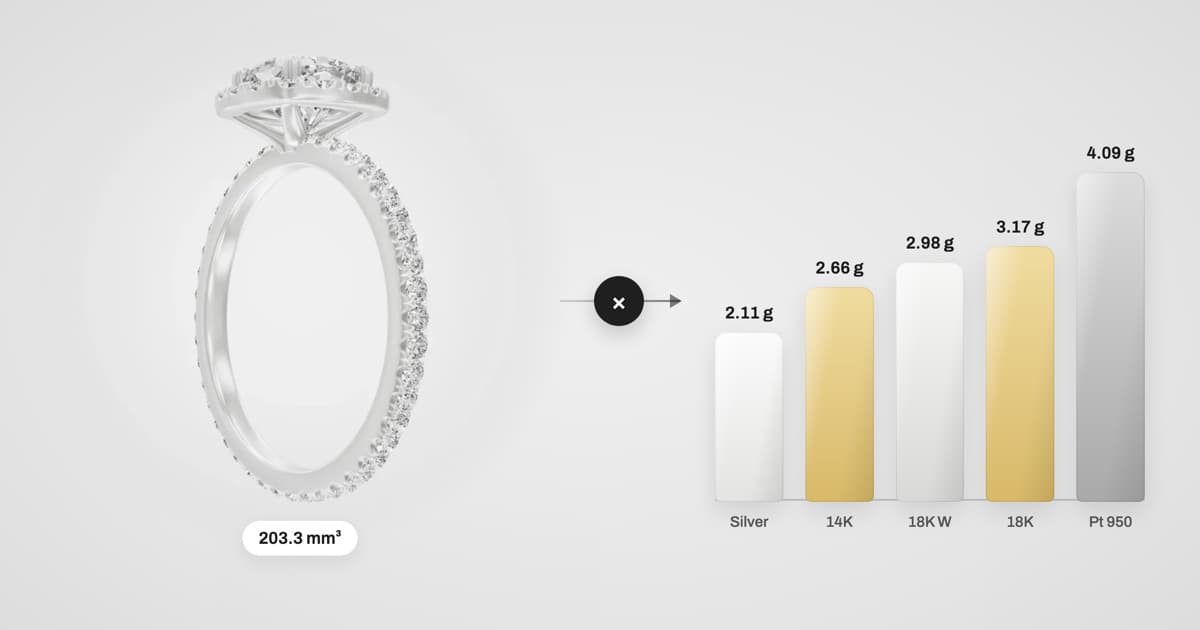
October 5, 2026
How to Calculate Gold Weight from a Jewellery CAD File
Metal weight is volume × alloy density. Here's the formula, a density chart for 14K, 18K, 22K gold, platinum, palladium and silver, a worked example from a real ring, and the six mistakes that make CAD weights wrong.