Jewelry Product Photography: When to Shoot and When to Render From CAD
The photography basics, what Etsy, Google and Amazon allow as a product image, and a situation-by-situation guide to when a CAD render does the job better than a shoot.
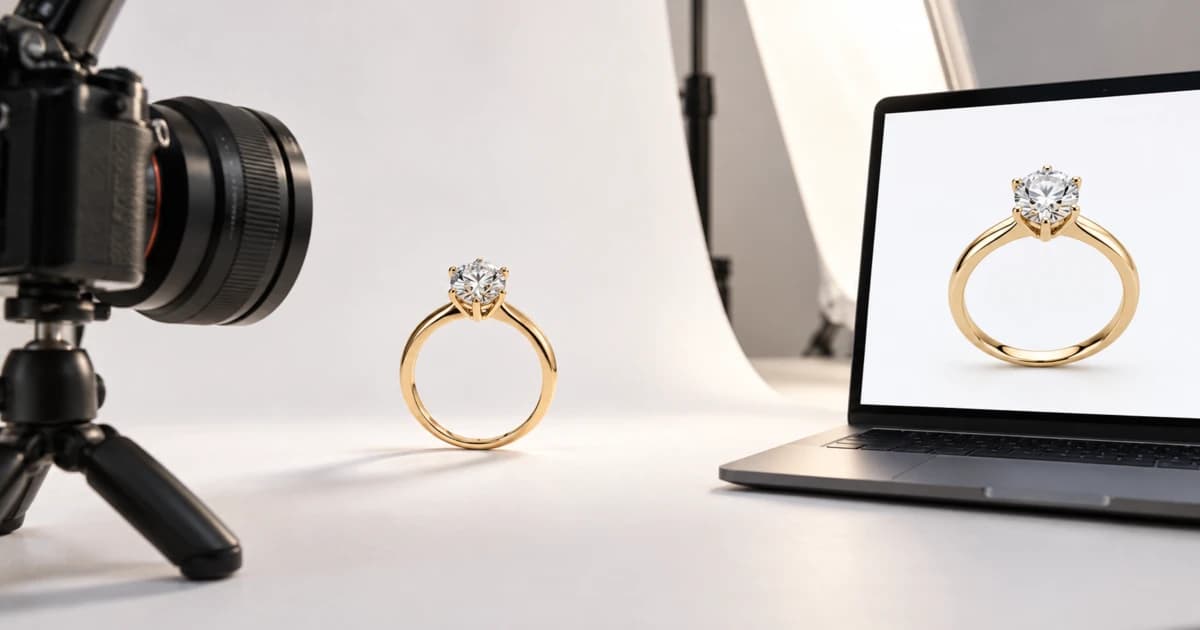
Jewelry product photography comes down to a steady camera, soft light that controls the reflections on metal, and a clean background. For a piece that isn't cast yet, or one you sell in several metals, the same images can be rendered from the CAD file instead. The catch is where the image goes: Etsy asks for original photos "not renderings", while Google and Amazon want the exact item for sale.
The basics: a steady camera, soft light and controlled reflections
The best way to photograph jewelry is close up, on a tripod, inside soft light. Metal and stones act like small mirrors, so most of the work is deciding what they reflect.
Camera. Adorama's guide sets a simple bar: any camera works if you can set the aperture and shutter speed by hand and shoot in RAW. RAW also lets you correct white balance later, which matters when yellow and white gold must look like themselves. A macro lens is usually the piece of kit that matters most.
Tripod. It removes camera shake at close range and keeps the framing identical from shot to shot, so a set of photos lines up.
Light. A light tent, also called a light box for photographing jewelry, puts the piece inside fabric walls that "soften and diffuse the light", in the words of Nikon's jewelry guide. A light cone does a similar job and cuts distracting highlights.
Reflections. Gemstones and polished metal will show you and your camera. A sheet of white card with a hole cut for the lens hides the camera and bounces light back onto the piece.
Settings and focus. The examples in Nikon's guide were all shot at ISO 100 with a macro lens, at apertures between f/8 and f/32. A ring is deep for its size, so a small aperture alone may not get all of it sharp. Focus stacking fixes that: you take several shots, each focused on a different part, and merge them so the whole piece is sharp.
Clean first. At this distance every speck of dust and every fingerprint shows. Nikon's photographer calls canned air one of the most important things to have; a microfiber cloth helps too.
What Etsy, Google and Amazon allow as a product image
All three want the first image to show the real item for sale. Only Etsy mentions renders by name; Google and Amazon ask for an image that shows the exact item, accurately. The rules below were read on each platform's help pages on 15 October 2026.
Main image | Extra images | Renders and mockups | |
|---|---|---|---|
Etsy (updated 9 Jul 2024) | "Original photos of the actual product buyers will receive." For custom items, the first image must show "a finished, customized item similar to what buyers will receive." | Your own photos of the finished piece | No "renderings or stock photos", with one exception: "Computer-generated mockups may be used in additional listing images to showcase customization options – just make sure your first image is the real deal." |
Google Merchant Center (Shopping ads and free listings) | Must "clearly display the exact item being sold". Product fills 75–90% of the frame. No watermarks, overlays or added logos. At least 500 × 500 px from 31 January 2027; 1500 × 1500 px or more recommended | Other angles and detail shots go in | Renders aren't named. Banned: "line art, mockups, or illustrations that don't depict the physical product" |
Amazon (US Seller Central) | "A realistic, professional-quality image" that shows the real scale, quantity and color. Pure white background (RGB 255, 255, 255). Product fills 85% of the image, shown once, no props | Amazon recommends at least six additional images and one video | Renders aren't named. Every image must "accurately represent the product that you're selling" |
Your own store | Your call | Your call | Your call. We'd label renders as renders, and any feed you send to Google still follows Google's rules |
One more Google rule drives the variant question below. Google wants "a distinct, dedicated image for every individual variant", one that shows "the exact color, pattern, finish, and material", and it says not to reuse one photo across variations. A ring sold in yellow, rose and white gold therefore needs three different images, not one.
Amazon's guide also points sellers to its category style guides, so read the jewelry one before you list. And the stakes are real: without a compliant main image, Amazon "may temporarily remove the product listing from search".
Shoot it or render it: a decision by situation
Shoot what exists and sells as it is. Render what doesn't exist yet, or exists in only one of the metals you offer, and keep renders out of the slots where a marketplace asks for the real item.
Situation | Method | Why, and the rule that applies |
|---|---|---|
A finished piece that sells as it is (one of a kind, ready to ship) | Shoot | The buyer gets this exact piece. Etsy requires original photos of it; Google and Amazon want the exact item |
One design sold in several metals | Shoot the metal you've cast; render the others | Google wants a separate image for each variant. On Etsy, the photo goes first; Etsy allows computer-generated mockups in extra images to show customization options, but its examples are engraving and monograms, so check that it counts a metal choice before you rely on it |
Made to order, not cast yet | Render for your own store; shoot before you list on Etsy | Etsy needs a real photo of a finished piece first. Google bans "mockups, or illustrations that don't depict the physical product", so until a piece exists, your own product page is the safe home for its render |
Marketplace main image | Shoot, unless you can stand behind the render as the exact item | Etsy wants a real photo; Amazon and Google want the exact item, accurately shown (table above) |
Extra listing images (angles, details, every metal) | Either | The extra slots are where Etsy allows mockups and where Google takes other angles |
Refreshing a catalog of many designs at once | Render, where you have the CAD files | Every design gets the same poses and background in one pass, with no pieces to pull from stock and no reshoot per metal |
The pattern is simple: the photo proves the piece exists, and renders fill in the variants and angles around it.
One CAD file, every metal: the variant arithmetic
Because Google asks for one image per variant, every metal you offer multiplies the work. With a camera, each metal means a cast piece in hand. With a CAD file, each metal is a setting.
Take Culet Studio's catalog set, the six standard product-page poses: Hero, Angled, Profile, Top-down, Front and Detail.
Offer | Metal options | Images (× 6 poses) | Photographed | Rendered |
|---|---|---|---|---|
One design in yellow, rose and white gold | 3 | 18 | 3 cast pieces, 18 shots | 1 CAD file, 18 renders |
The same design in 14K and 18K, three colors each | 6 | 36 | 6 cast pieces, 36 shots | 1 CAD file, one 36-image batch |
Every metal the studio renders (14K, 18K and 22K gold in three colors, Platinum 950, Palladium 950, Sterling 925) | 12 | 72 | 12 cast pieces, 72 shots | 1 CAD file, two batches |
A batch zip holds up to 48 images, so the 72-image case takes two.
Here is the hero pose of the website's own sample ring, rendered in three golds from one CAD file:
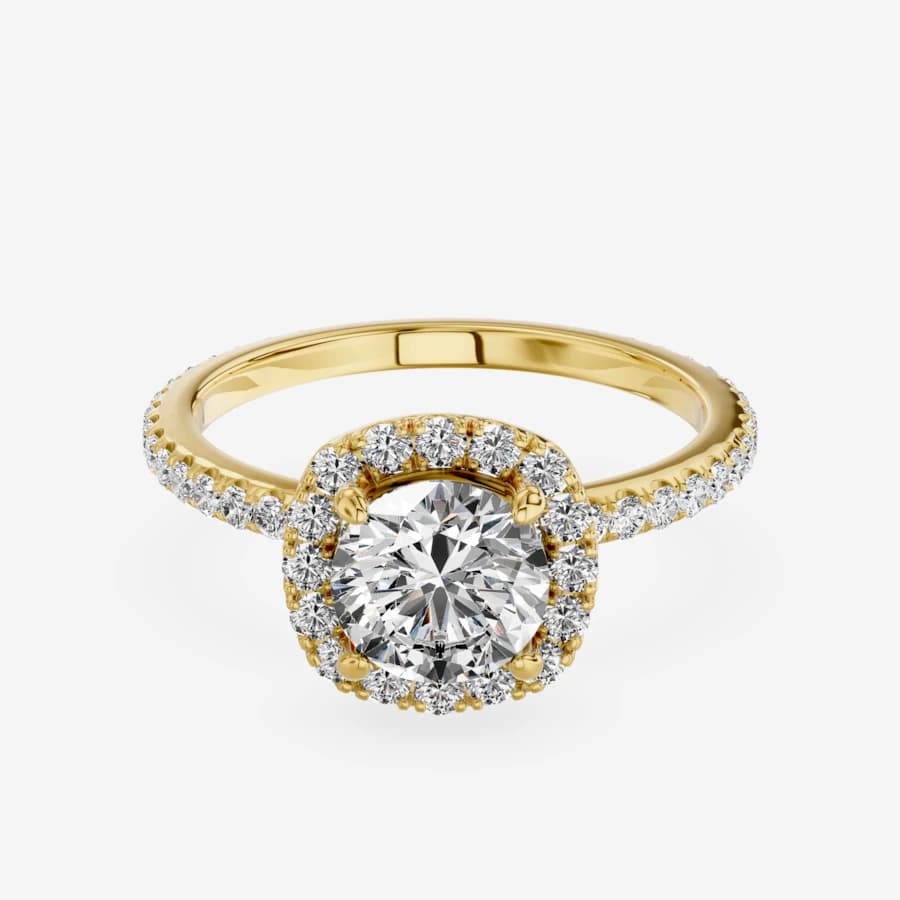
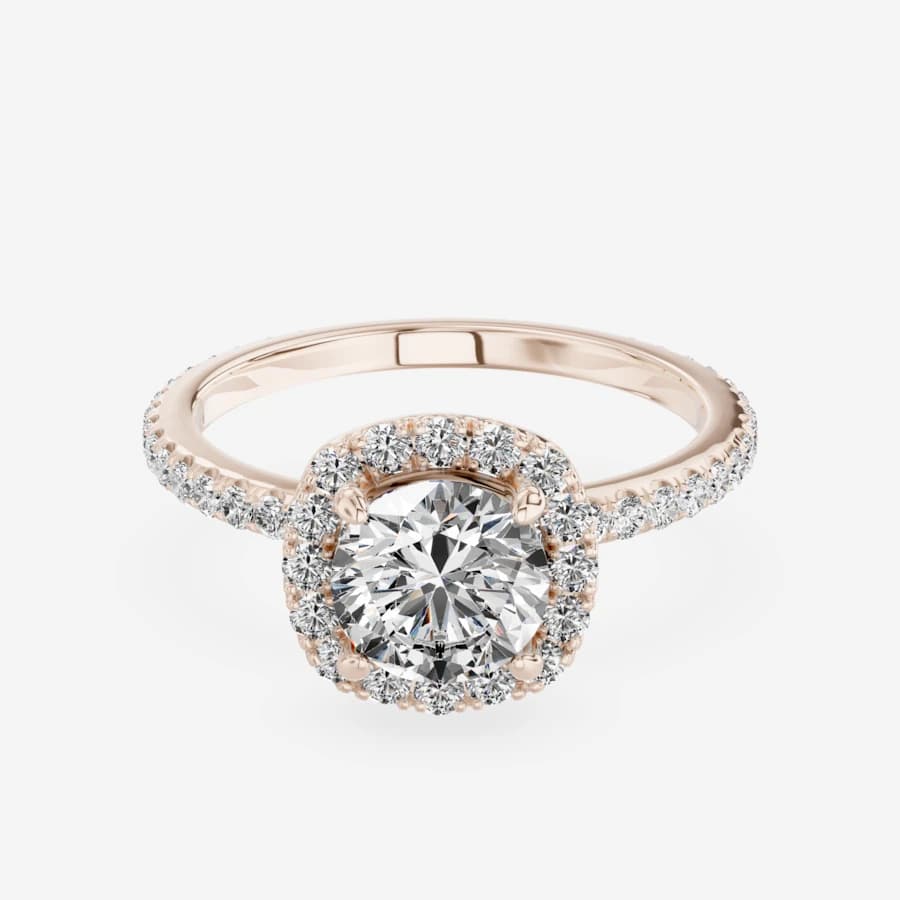
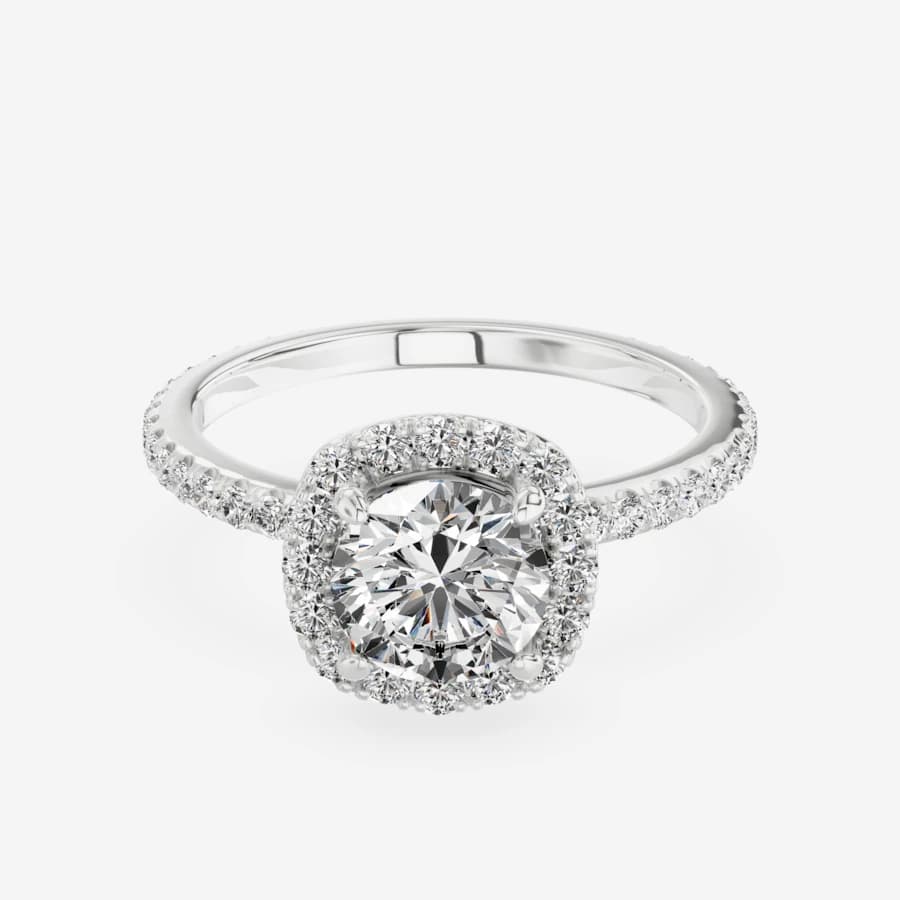
Only the metal changes. The pose, light and stones stay the same, which makes a set of variant images look like one product rather than three photo sessions.
The shot list: which pose answers which buyer question
A buyer can't pick up the piece, so each image has to answer one thing they would check in a store. The six catalog poses map to those checks. This is our suggested order, not a marketplace rule:
Pose | What it shows | Ring | Earrings | Pendant | Bracelet |
|---|---|---|---|---|---|
Hero | The piece as a whole; your main image | ✔ | ✔ (the pair) | ✔ | ✔ |
Angled | Depth and how the stones sit | ✔ | ✔ | ✔ | ✔ |
Profile | Height off the finger or ear, the gallery | ✔ (head height) | ✔ (how far it drops) | ✔ (bail) | ✔ (thickness) |
Top-down | Outline and stone layout | ✔ | ✔ | ✔ | ✔ (links) |
Front | Face-on, as others will see it | ✔ | ✔ | ✔ | ✔ |
Detail | Prongs, pavé, finish, clasp | ✔ (setting) | ✔ (backs) | ✔ (setting) | ✔ (clasp) |
The six poses give you a main image and five extras. Amazon recommends at least six additional images and one video, so add one more image, such as a photo that shows scale, and a video file. A 360° spin is for your own product page instead: Culet Studio renders spins of 72 or 120 frames as an embed, covered under 360° views and embeds.
Making catalog photos from a CAD file
If you have a finished CAD file, Culet Studio renders the catalog set in the browser. Open the file (Rhino .3dm including MatrixGold files, STEP, IGES, STL, OBJ, FBX, PLY or GLB/glTF), pick the metals, and export. You get the six poses auto-framed in listing order on a white, gray, black or transparent background, at 1K or 2K as PNG, JPG or WebP. Every chosen metal, angle and background can go into one zip of up to 48 images. Files are read in your browser and stored on our servers only when you save them to your Drive, share them by link, or export a live 3D or 360° view. The steps are in the product photos guide in our docs, and what each option does is on the product photos feature page.
The images carry no watermark or logo, which Google Merchant Center doesn't allow. It's free for everyone, with credit: a product page that uses the images carries one line, "Product images and 3D view: Culet Studio" (how to add the credit line).
Know the limits before you list. A render shows the model, not the piece on your bench: it won't show a casting flaw, a polishing mark or the exact color of the stone you set. Culet Studio renders and measures; it doesn't model or fix the file, which still happens in Rhino, MatrixGold or your usual CAD software. And the marketplace rules above still apply to every image, rendered or not.
Choosing for your next listing
You have the finished piece and one metal: photograph it. Use the basics above and frame it near 85%, which sits inside Google's band and meets Amazon's rule.
You sell the design in more metals than you've cast: photograph the one you have for the main image. Render the other metals for your own product page and for variant images where the platform allows them.
The piece is made to order: render it for your own store. On Etsy, wait for a real photo of a finished piece before it goes first.
You're refreshing a whole catalog: render every design you have a CAD file for, then photograph the bestsellers for their marketplace main images.
Stores and online sellers can see how this fits a retail workflow on the solutions page for retailers. To try it on your own file, open a CAD file in the studio.
Frequently Asked Questions
Yes, if it passes the camera test in the basics above. If it doesn't, focus stacking gets harder and a camera with a macro lens is the easier route.
Related Articles
View All Blogs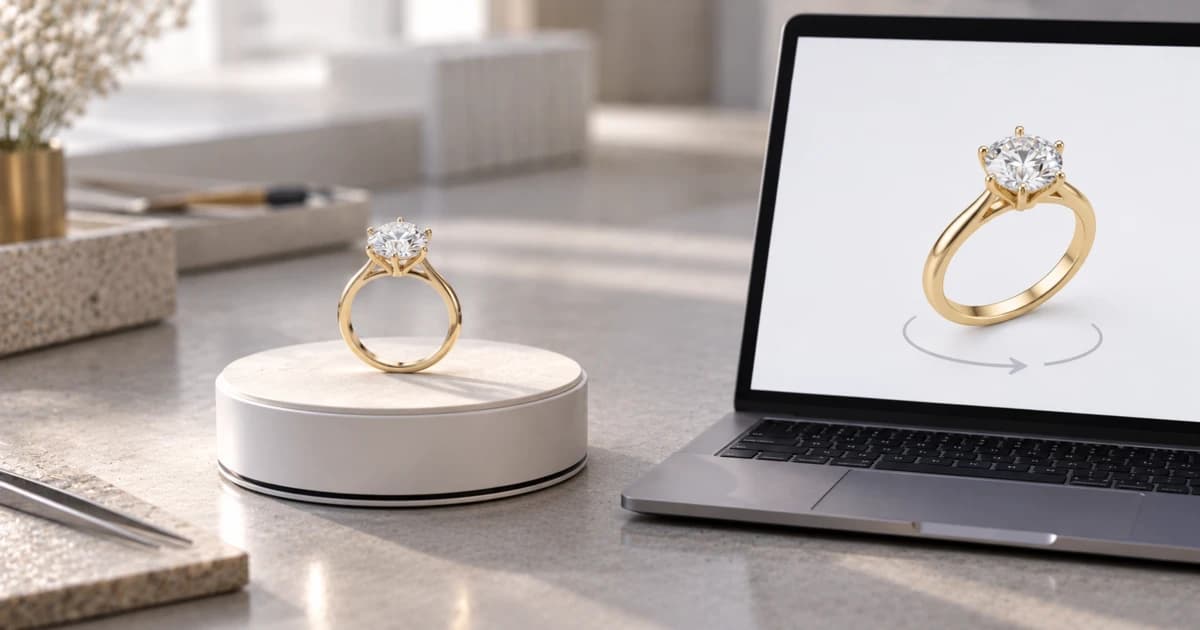
October 15, 2026
360° Product View for Jewelry: Free Viewers for Your Website or Shopify Store
A spin or a live 3D model? Which free viewer takes your CAD file, which needs a GLB, what each free plan limits, and how to add a 3D model to a Shopify product.